
Share your analytics and give everyone the right access
A shared password sent by email, screenshots mailed out every month, a former contractor who still has access: that’s often how analytics gets shared. With Klacos, your clients see their figures through a read-only link that expires, your team signs in with your company directory, and every change records who made it.

Access shared in a hurry
Sharing analytics looks simple until someone asks who still has access to what. An account lent to a client, a password passed from one colleague to the next, a contractor who left long ago: nobody keeps the list.
Every forgotten login is an open door to your settings, and every report rebuilt by hand is an hour nobody bills for. The day a setting changes without explanation, nobody knows who touched it.
What you should expect: a link for people who read, a role for people who work, an end date for every access, and a record of every change.

Clear access, for your clients and your team
A share link
Expiry and password
Revocable
Roles
Company sign-in
Scoped API keys
Audit log
Several sites
A read-only link that expires
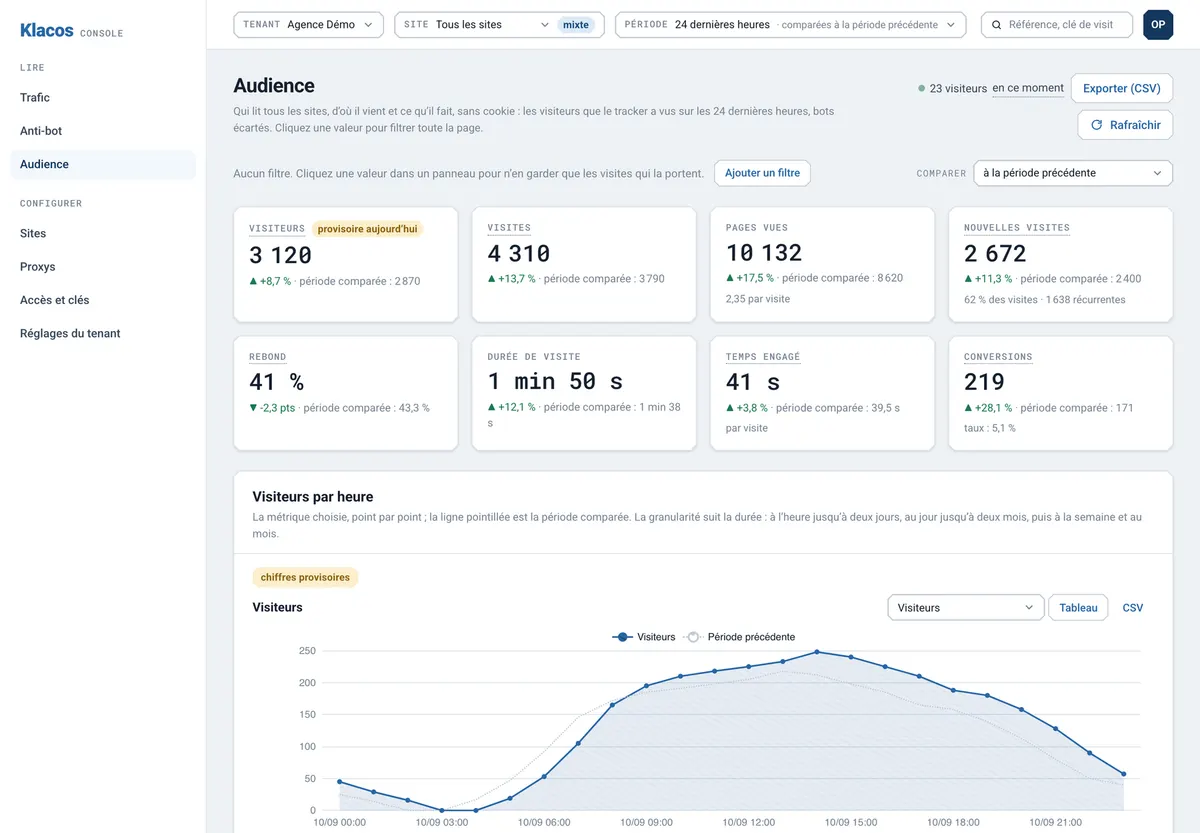
A share link opens a site’s cookieless analytics figures, read-only. Whoever receives it sees visitors, pages, sources and conversions, with no detail about any individual visitor and no access to settings or protection.
Every link has an expiry date, 30 days by default and a year at most. It can ask for a password, and you revoke it whenever you like: when the work with a client ends, so does their access.
Roles, company sign-in and an audit trail
Each member of your account has a role: owner, editor or viewer. Sign-in goes through your company’s identity provider, which assigns those roles, so the console manages no passwords, and open sessions have a limited lifetime.
Programs get their own API keys, each limited to what it needs to do, such as reading the figures described on the page about logs, exports and the API. Every change, by a person or by a key, goes into the audit log with its author, its date, and the state before and after.
One account holds all your sites. Ownership of each domain is proven with a DNS record, so nobody can claim someone else’s site. If you look after your clients’ sites, the page for agencies and hosts covers the rest. Sharing and access round off the other analytics capabilities in Klacos.

Questions about sharing and access
Does my client need to create an account?
No. A link is enough: they see the audience figures you share, read-only.
What does the person with the link see?
The site’s audience figures, with no detail about any individual visitor, and no access to settings or protection.
Do I have to manage passwords for my team?
No. Your members sign in through your company’s identity provider; the console manages no passwords.
Can I withdraw access?
Yes. A share link and an API key can be revoked at any time, and open sessions have a limited lifetime.
Give everyone the right access
Request early access, or tell us about the sites, clients and teams you look after.