
Website security for agencies: every client site in one console, with the right access
You answer for sites you didn’t always build, on different hosts, for clients who want their numbers and call you the moment anything slows down. Klacos sits in front of each of those sites, with nothing to migrate, and starts by observing. You then run their protection, uptime and analytics from one console, and each person only sees what concerns them.

Every client site is a risk you carry
A different security plugin on every site, a separate analytics account, a certificate to keep an eye on. The day one of them gets scraped, attacked or goes down mid-campaign, you’re the one the client calls, and you’re digging through tools that don’t talk to each other.
The rest costs you time. Sending each client their numbers, explaining why one of their visitors was blocked, giving a developer access without opening up everything else, then taking it away when they leave. None of that time is billable.
And it grows with your client list: every new client adds another tool to watch, and makes it harder to tell each of them what’s really happening on their site.
An agency’s everyday situations, and what happens in each
An agency doesn’t just manage visits: it manages clients, teams and releases. Here is what Klacos changes in those moments.
- A new client site to connect Observed first
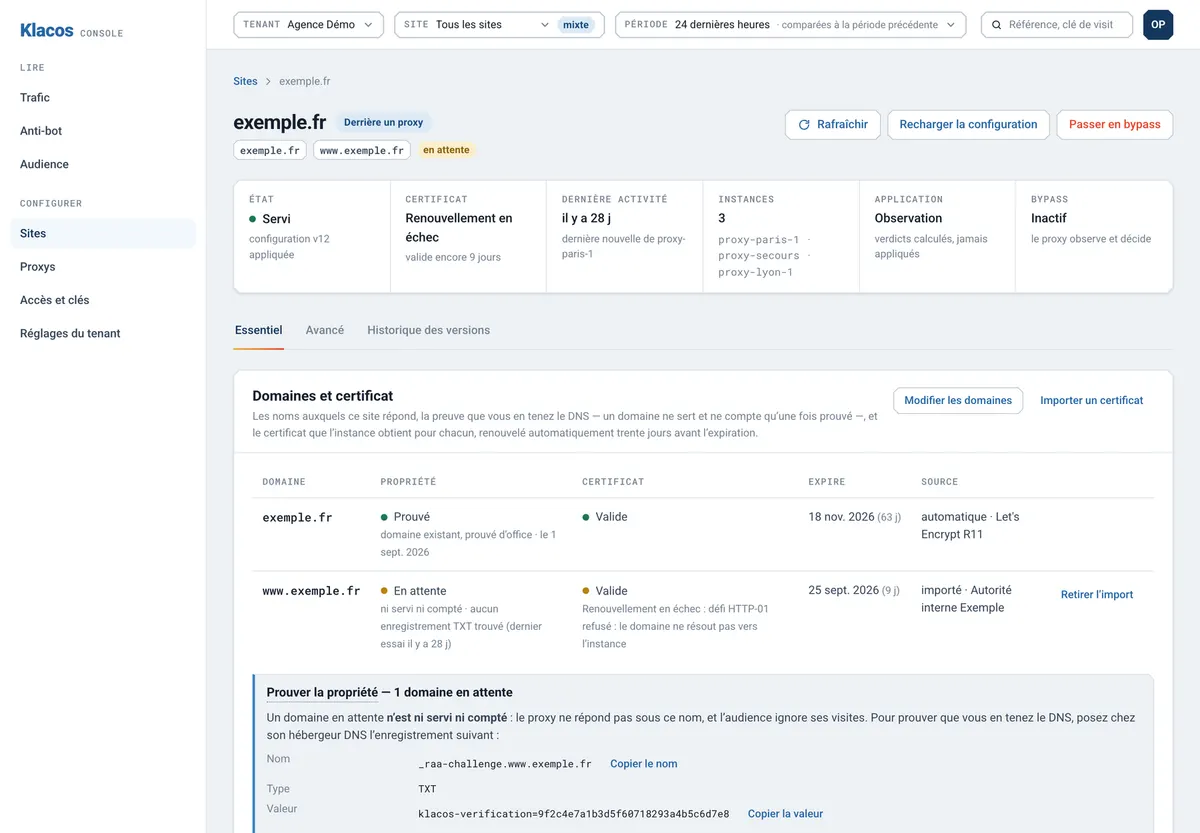
You prove you own the domain with a DNS record, and the site starts in observation: you see its traffic before you tune anything.
- A client worried about AI crawlers The answer in the console
AI crawlers are a category of their own, observed by default. You show the client their share of the traffic, then apply what they decide with AI crawler control.
- A client’s visitor, blocked by mistake Unblocked in one click
They pass on their reference, you read the reason in the console and unblock them. There is more on explained decisions.
- A client asking for their numbers A read-only link
You share their analytics through a link that expires, with a password if you want one, and that you can revoke at any time.
- A developer joining a project Exactly the role they need
Owner, editor or viewer: everyone gets the role that fits, and nothing more.
- A contractor leaving a project Access removed, trail kept
You remove their access, and the audit log keeps a record of what everyone did. Sign-in can also go through your company’s identity provider.
- A site release Targeted purge
You clear exactly what changed from the cache, from the console, the API or your deployment tool.
- Your own reporting dashboard A scoped API key
A key with limited scope reads your sites’ analytics for your own tools, and can’t change anything.
Your tools stay yours: logs and exports come out in standard formats, as CSV or through the read API, and sharing and team management give each person the access that’s theirs.
The same protection in front of every site, whoever hosts it
Every client site gets the same protection: bots sorted with no CAPTCHA by default, attacks stopped by the web application firewall, bursts capped, certificates issued and renewed on their own. No more one plugin per site, and no more expiry dates to chase.
Before you touch a client’s site, you see what a setting would do: it replays against past traffic, then goes live one step at a time, with a one-click rollback. And when a client asks why one of their visitors was stopped, the answer is in the console.

The whole platform on your servers, one account per client
A hosting provider or integrator can run Klacos in-house, console included. Each of your clients becomes a separate account, with its own sites, roles and analytics, and you keep an overview of all your instances. You choose where your clients’ traffic is processed: on your own machines.
The proxy installs as a Debian package or a Docker image and runs on its own from the moment it’s installed, then connects to the console over a link it opens itself, so there’s no port to open for it. If that link drops, it keeps serving and protecting sites with its last configuration, holds on to its observations and sends them once the link is back; the console flags the instance as unreachable. The details are on the page about running it on your own servers.
The console keeps the service’s name: there is no white-label version.

Fewer tools to watch, more answers to give
One console for every client
Several sites per account, one role per person, and sign-in through your company’s identity provider.
Clients who get their numbers
Each site’s audience measured without cookies, with bots counted separately, shared through a read-only link.
Answers instead of digging
When a visitor is stopped, the reason is in the console: you unblock in one click and know what to tell the client.
Your reports, your tools
Standard log formats, CSV exports, a read API and scoped keys for your own dashboards.
Looking for a specific kind of site? See every solution side by side.
Questions from agencies and hosts
Do we need to migrate our clients' sites?
No. Klacos sits in front of each site, wherever it is hosted. You point the domain at it, and the client’s server becomes the origin.
Can a client see their analytics without an account?
Yes: you share a read-only link with them, with an expiry date and a password if you like, and you can revoke it at any time.
Can we run everything in-house?
Yes. The proxy and the console install on your servers, and each of your clients becomes a separate account.
If we run it ourselves, what happens when the console is unreachable?
Each proxy keeps serving and protecting its sites with its last configuration, holds on to its observations and sends them once the link is back. The console flags the instance as unreachable.
Is there a white-label version of the console?
No. It keeps the name of the service.
Does it send reports by email?
No. The numbers are in the console, behind the sharing link, in CSV exports or through the read API, ready to feed your own reports.
Connect a first client site, and look before you tune
Request early access: the site starts in observation, so you see its traffic before you change anything. Or talk to us about running it on your own servers.