
Ecommerce bot protection: serve your buyers, not the bots
Your shop attracts bots that scrape your prices, create accounts in bulk and try stolen passwords, plus traffic spikes that take it down on the day that matters most. Klacos sits in front of it, with no change to your platform or your host. It first shows you who is visiting, then applies what you decide: customers get through, bots are slowed or stopped, and your conversions count real buyers.

Bots that never buy, but that you pay for
An online shop draws plenty of visitors who will never buy. Bots scrape your prices every night on behalf of a competitor, while others copy your catalogue, product pages and photos included. Some open accounts in bulk to stack up a welcome offer; others try passwords stolen elsewhere on your login page. Scanners probe your plugins and extensions for a known weakness.
Each of them has a cost. Your server serves their pages while real customers wait. A customer account taken over with a stolen password ends up as a support ticket, and as a customer who may not come back. Your analytics count visits that aren’t customers, and your ad tags report conversions your campaigns take at face value. On sale day, the whole site can go down at the worst possible moment.
That day is won beforehand. To set up a queue or a cap on your login page, you need to know what your traffic looks like on an ordinary day, and how much of it is bots.
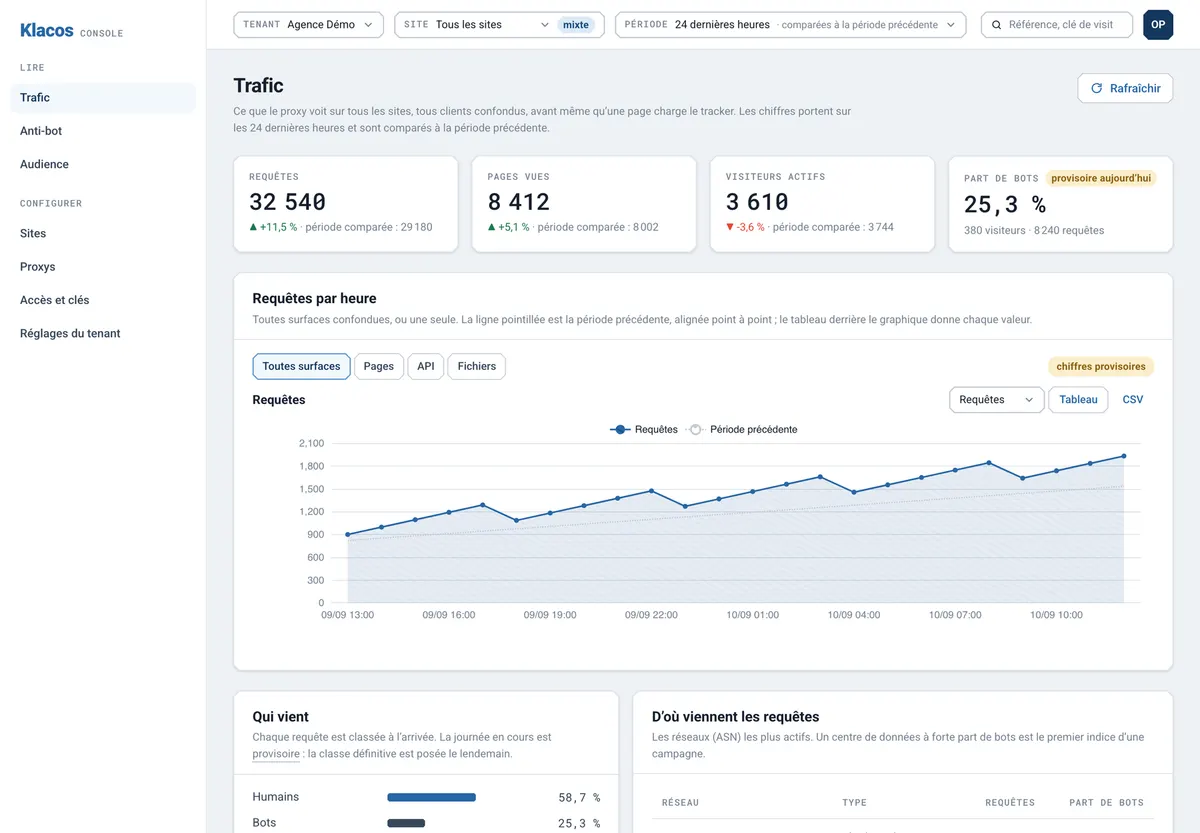
Look at your shop first, act second
Observe
On day one, Klacos sees everything that reaches your shop and blocks nothing. You find out how much of your traffic comes from bots, which product pages they work through, and what is hammering your login page.
Decide
You choose what gets capped, what slows down and what stops. Before a setting goes live, you replay it against your past traffic and see who it would have caught.
Enforce
One step at a time, with a one-click rollback. The waiting room is set up in advance and scheduled for the moment your sale opens.
What reaches your shop, and what happens to it
Klacos analyses every visit before your server does, then applies the policy you chose. On an online shop, that looks like this.
- A customer comparing products Gets through
No challenge by default. Pages come from the cache where possible, so they stay fast even when the site is busy.
- Googlebot and Storebot-Google Get through, counted apart
Google’s crawlers, including the one that reads your product pages, are checked with Google before they are believed. They get through and stay out of your audience figures.
- A price scraper Slowed, then blocked
It works through your product pages faster than any shopper could. Bot management slows it down, checks it without showing anything, then stops it.
- Password guessing on your login page Capped
Rate limiting caps login, sign-up and search, each at its own pace, without closing the rest of the shop.
- Accounts opened in bulk Slowed, then checked
Their pace doesn’t look like a real sign-up. They are slowed down, checked without anything being shown, then stopped.
- A scanner looking for a weakness Stopped
Injection attempts, well-known paths, a vulnerable plugin: the web application firewall stops it before it reaches your platform.
- The crowd when your sale opens Queued in order
Customers come in at the pace your server can handle, and bots don’t take a place in the queue.
- A conversion fired by a bot Not counted, not sent
It doesn’t count towards your goals, and your ad tags don’t fire for it.
Every decision keeps its reason. If a customer is stopped by mistake, they see a reference; your team finds it in the console and unblocks them in one click.
On sale day, your shop stays open
When the rush goes beyond what your server can handle, the virtual waiting room lets in the flow you set. Everyone else waits on a page showing their place in the queue and an estimated wait, then gets in either in order or by draw. You can trigger it on a threshold, by hand, or at the time your sale opens. Bots don’t take a place, and search engines get a response telling them to come back later.
Meanwhile, caching serves your pages without touching your server, and when a price changes you clear exactly what changed: one page, a folder or a tag. If your server struggles anyway, the last copy of your pages keeps being served.

Conversions that count real buyers
A bot filling a basket or a form shouldn’t be teaching your campaigns who to target. With the tag manager, your ad tags are sent server-side to Google Ads, Meta, LinkedIn or TikTok, and not for the bots it has spotted.
Goals and funnels count your conversions without bots and show where the buying journey drops off: product page, basket, delivery, payment. Measurement is cookieless, and you make decisions on numbers about your customers.
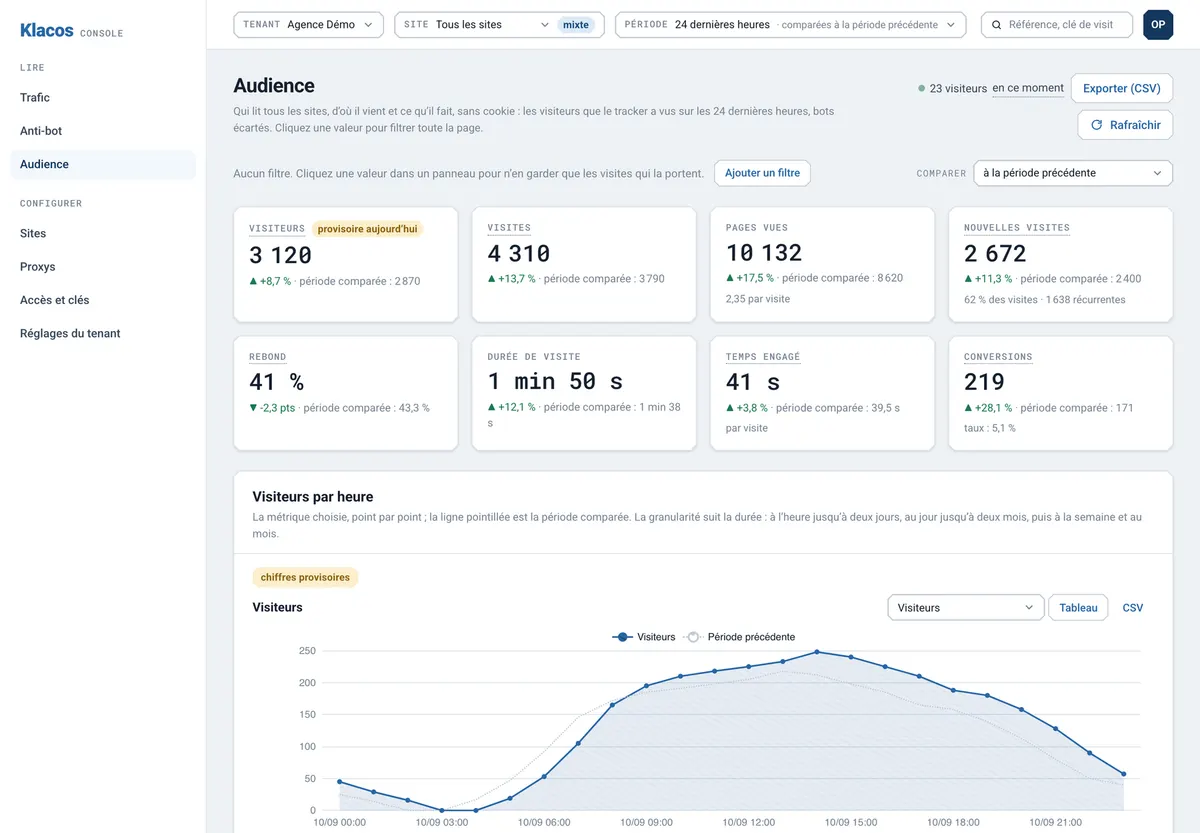
A shop that works for its customers
Buyers served first
Bots scraping your prices or copying your catalogue are slowed and then stopped, and your server keeps its capacity for people who buy.
Customer accounts less exposed
Login, sign-up and search each capped at their own pace: credential stuffing hits the limit, and the rest of the shop stays open.
A sale that stays up
The rush comes in at the pace your server can handle, with no bots in the queue, while the cache serves the rest.
Campaigns that learn from buyers
Conversions counted without bots, and ad tags sent for real customers.
It’s all set from the same console, and it all starts in observation. Running a different kind of site? See every solution side by side.
Questions from online shops
Do I need to change platform or host?
No. Klacos sits in front of your shop, whatever platform runs it. Your server keeps its configuration and becomes the origin.
How far ahead of a sale should I start?
Well ahead of the day. Put your shop in observation, look at an ordinary day’s traffic, then set up the waiting room and the login limits by replaying them against that traffic.
Will my customers see a CAPTCHA at checkout?
Not by default. A suspicious visit is first slowed down, then checked without anything being shown. A visible challenge only appears if you turn it on.
Do Google’s crawlers still get through, including the one for product listings?
Yes. Googlebot and Storebot-Google are verified with Google, then they get through. Anything borrowing their name is unmasked.
Does it stop payment fraud?
No. It deals with bots and attacks on your site, not card or basket fraud. Keep your fraud prevention tool for that.
Does my revenue show up in analytics?
No. Conversions and goals are counted, without bots, but not the value of your sales.
See how much of your shop’s traffic is automated
Request early access: your shop starts in observation, blocking nothing, well before your next sale. Or talk to us about your shop now.