
Content scraping protection: your articles read by people, not scraped
Scrapers republish your articles, AI crawlers read them to train a model or answer someone’s question, and fake readers inflate your audience. Klacos sits in front of your site, shows you who actually reads your pages and applies what you decided for each of them. Readers get through without a challenge, and your audience figures are about them rather than bots.

Your articles feed bots, and your numbers count them
A story published in the morning can be copied within the hour. Scrapers lift it onto other sites, headline and sometimes images included. AI crawlers read your pages to train a model, to quote your story in an answer, or to fetch a page because someone asked for it; often, no reader follows. Other bots load your pages like a browser and turn up as visitors in your analytics.
You pay several times over. Your server and bandwidth serve those pages as if they were readers, archive included, which some bots crawl from end to end. Your audience swells, and you make decisions on numbers that aren’t true. Your ad tags fire for visitors who aren’t there.
AI assistants now read the web to answer their users. Whether to open your articles to them is an editorial decision to make now, and it’s a better one when you can see what they take and what they send back.
What reaches your site, and what happens to it
Klacos analyses every visit before your server does, then applies the policy you chose. On a publisher’s site, that looks like this.
- A reader from search or social Gets through, counted
No challenge by default, and the visit counts in your cookieless analytics.
- A reader sent by an AI assistant Gets through, own source
Visits from AI assistants show up as a source of their own, so you can see what they bring you.
- Googlebot and other search engines Get through, counted apart
Verified with their operator before they are believed, they get through and stay out of your audience figures.
- A link preview Gets through
The bot that builds a preview of your article on a social network or in a messaging app gets through, as do feed readers.
- An AI crawler that says what it is Your call
Allow, observe, slow down or block: you set the policy for AI crawlers, site by site.
- A bot posing as a browser Judged on its visit
What it claims isn’t enough to believe it. It is judged on its pace and its path through your site, then handled according to what the visit shows.
- A scraper copying your articles Slowed, then blocked
It works through your pages faster than any reader could. Bot management slows it down, checks it without showing anything, then stops it. On your most targeted sections, a per-route limit comes on top.
- A crowd chasing breaking news Served from cache
Pages come from the cache without touching your server, and the last copy keeps being served if your server struggles.
- An ad tag on a bot’s visit Not sent
Your tags don’t fire for bots that have been spotted, only for readers.
Every decision keeps its reason, readable in the console. If a reader is stopped by mistake, they see a reference and a link to appeal, and you unblock them in one click.
AI crawlers: look first, then decide
Not every AI crawler does the same thing with your articles. One reads them to train a model, another to quote them in an answer with a link, a third fetches a page because a user asked for it. Blocking them all can cost you the readers that assistants send your way; letting them all in means handing over your articles for nothing.
So first you need to know how much they weigh on your site. AI crawlers form a category of their own, observed by default: you see their share of your traffic, next to the visits that assistants bring you. Then you decide, site by site: allow, observe, slow down or block. Your robots.txt states your preferences crawler by crawler; Klacos enforces your decision for the whole category, including crawlers that identify themselves and ignore the file.
That choice doesn’t touch search engines, which are a separate, verified category. Crawlers whose operator publishes its addresses are verified before they are believed, and anything borrowing their name is unmasked. Our guide to deciding which AI crawlers to block explains what each one does, and what you gain or lose by blocking it.

An audience that counts your readers, not bots
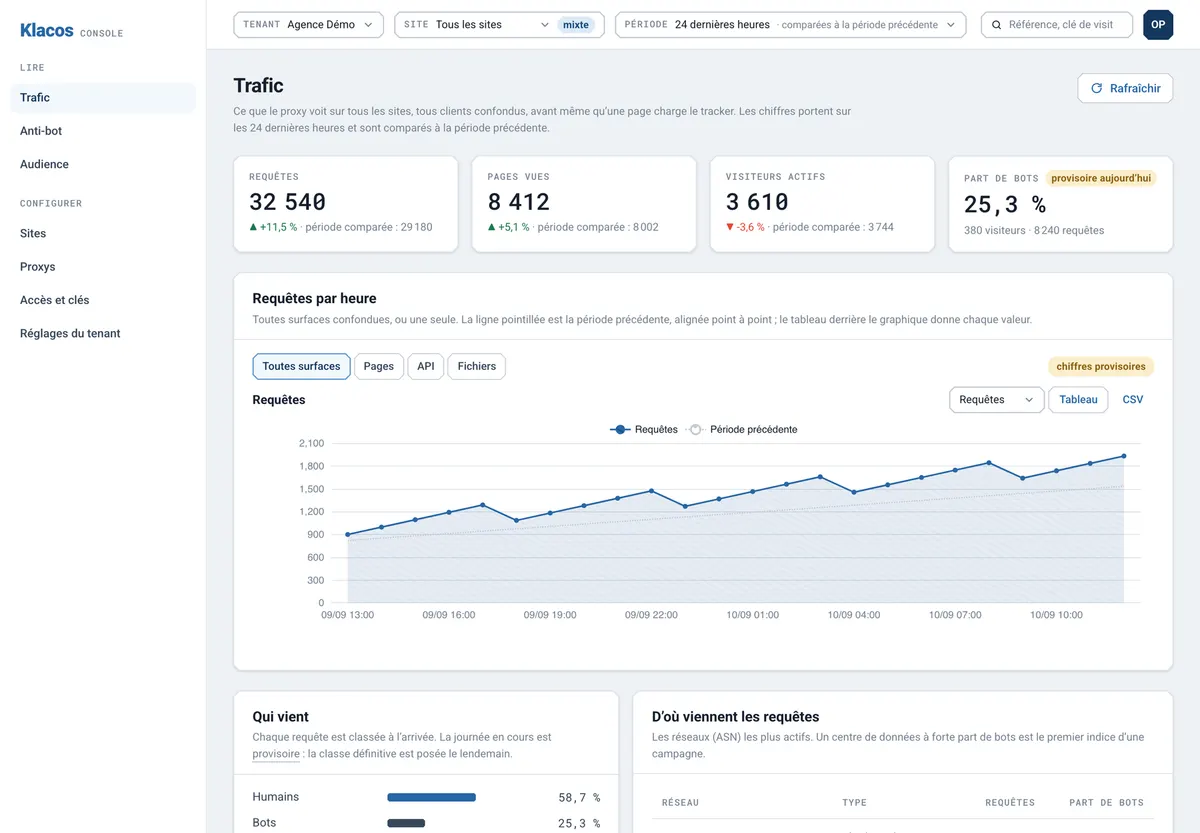
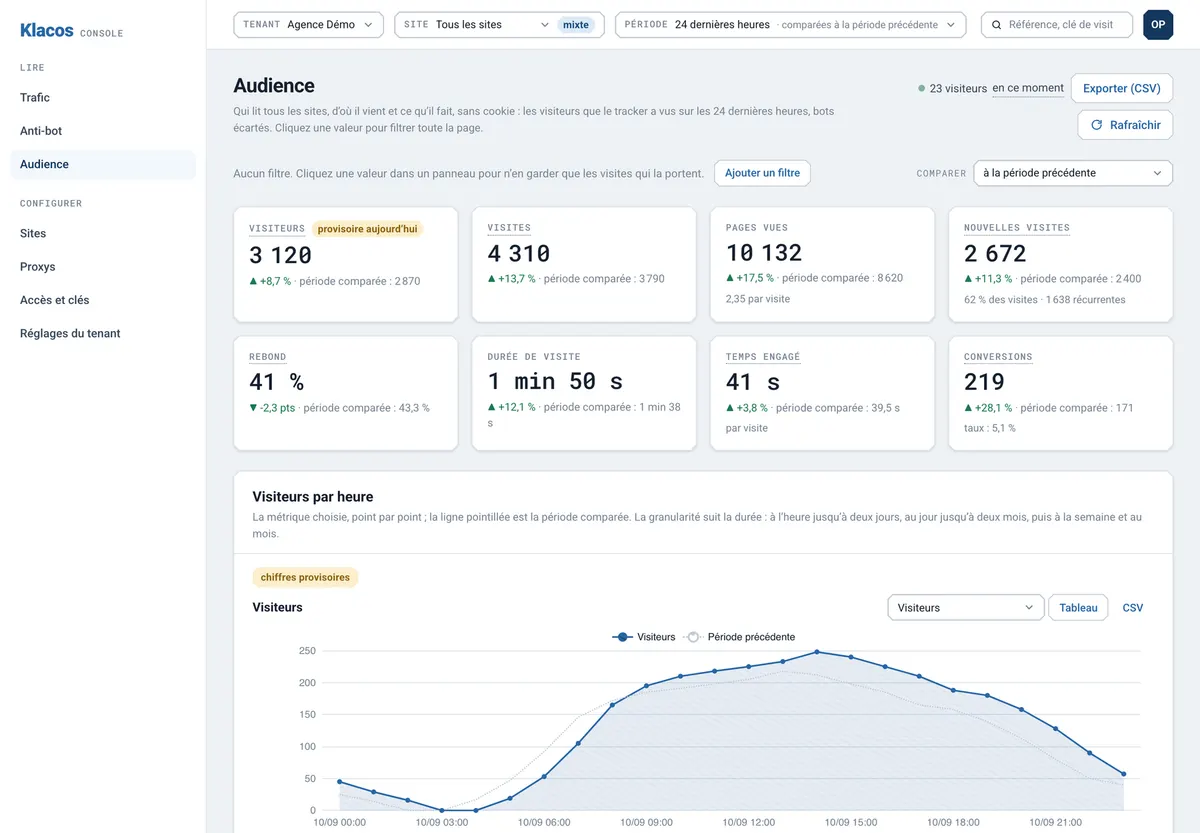
Traffic analysis shows the real share of bots, day by day, by network and by type of request. You know how many of your visits come from people.
Cookieless analytics keep the readers: pages read, sources (AI assistants included), places, devices, returning readers. Bots that load your page like a browser are spotted and taken out of your numbers, even after the fact: every visit is classified on arrival, then reviewed the next day.
A site that serves its readers first
Automated copying held back
Scrapers are slowed, checked without anything being shown, then stopped, and your server stops serving them as if they were readers.
AI crawlers on your terms
Their share of your traffic in front of you, then your decision applied site by site.
Search engines still welcome
Search engines, link previews and feed readers are verified, then let through: your AI crawler policy doesn’t touch them.
An audience of readers
Pages, sources (AI assistants included), places and returning readers, measured without cookies, with bots counted separately.
It all starts in observation: on day one, Klacos sees your traffic and blocks nothing. Running a different kind of site? See every solution side by side.
Questions from publishers
Can I stop my articles from ever being copied?
No, and nobody can: a person can always copy text. What the service does is make automated copying slow, then stop it once it spots it.
Will blocking AI crawlers hurt my visibility?
That depends on the crawlers and on what you expect from assistants. Search engines are a separate category. Start by observing: you see the share of traffic AI crawlers take and the visits assistants send you, then you decide.
Can I set a different policy for each AI crawler?
AI crawlers form one category that you set site by site: allow, observe, slow down or block. For crawler-by-crawler preferences, your robots.txt remains the tool. Those whose operator publishes its addresses are verified; the rest are judged on their visit.
Will my readers see a CAPTCHA?
Not by default. A suspicious visit is first slowed down, then checked without anything being shown. A visible challenge only appears if you turn it on.
Does it handle a paywall?
No. It doesn’t manage subscriptions or reader sign-in: your paywall stays yours, behind it.
See which bots read your articles, before you decide
Request early access: your site starts in observation, AI crawlers included, and nothing is blocked until you choose. Or talk to us about your site now.